
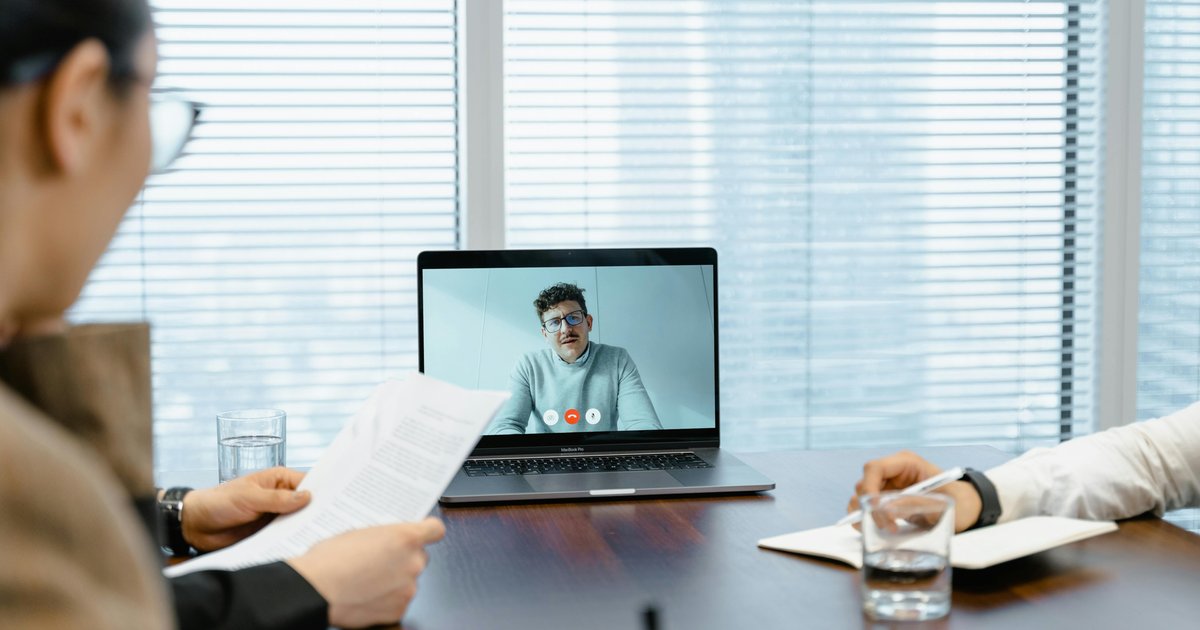
This Yealink case study explores how St John Ambulance Victoria transformed their meeting room infrastructure during a major headquarters relocation in 2022. Faced with outdated AV equipment and a workforce of 700 employees and 1,200 volunteers spread across Victoria, the organisation deployed Yealink video conferencing systems across eight meeting rooms. The result: AI-powered collaboration that works perfectly on the first try, every time, with zero IT support required.
About St John Ambulance Victoria
St John Ambulance Victoria is one of Australia’s most recognised and trusted healthcare organisations. Established more than 138 years ago, they deliver emergency medical support, accredited first aid training, and community transport services throughout the state of Victoria.
The scale of their operation is significant. 700 dedicated employees and 1,200 trained volunteers coordinate to provide emergency health support at over 2,500 public events annually and complete more than 1,700 community transport trips every year. From the Australian Open to local community festivals, St John Ambulance Victoria is the organisation people trust when health and safety are on the line.
Coordinating an operation of this size demands reliable, intuitive communication technology. When leadership made the decision to relocate to a purpose-built Melbourne headquarters, they recognised the opportunity to completely rethink how their dispersed teams connect, collaborate, and coordinate life-saving services.
The Challenge: Why Outdated Meeting Room Technology Threatened Coordination
St John Ambulance Victoria’s existing meeting room equipment had reached end of life. Ageing systems created daily friction for staff who needed to coordinate across a geographically dispersed workforce. Meetings started late. Connections dropped. Volunteers struggled with unfamiliar interfaces. Every minute lost to technical issues was a minute taken away from training, planning, and service delivery.
Five specific challenges drove the decision to invest in a complete video conferencing upgrade:
- End-of-Life Equipment: Existing AV systems were unreliable, frequently requiring IT intervention before meetings could begin. Staff wasted valuable time troubleshooting instead of collaborating
- Geographically Dispersed Workforce: With staff spread across Victoria, regular virtual meetings were essential for coordinating emergency response protocols, training schedules, and volunteer management. Dropped connections and poor audio quality undermined these critical touchpoints
- 1,200 Volunteers Needing Seamless Access: Volunteers are not full-time employees. They attend briefings, complete training modules, and join coordination meetings intermittently. The technology needed to be intuitive enough for someone who uses it once a month, not once a day
- Variable Room Sizes: The new headquarters featured eight meeting rooms ranging from intimate 4-person huddle spaces to extra-large boardrooms seating 20 or more. Each room needed a purpose-fit solution, not a one-size-fits-all compromise
- Zero Tolerance for Complexity: Non-technical staff and volunteers needed to walk into any room, start a meeting, and present content without calling IT for help. If the system required training, it had already failed
Legacy analogue and outdated video conferencing systems simply could not deliver the reliability, ease of use, and room flexibility that a modern healthcare organisation demands. St John Ambulance Victoria needed a unified video conferencing ecosystem built for every room type and every skill level.
The Solution: Yealink Video Conferencing Across 8 Meeting Rooms
After evaluating options across the unified communications market, St John Ambulance Victoria selected Yealink’s video conferencing portfolio. The decision came down to three factors: native Microsoft Teams certification, AI-powered camera intelligence, and true plug-and-play deployment that required no specialist AV programming.
| Application | Yealink Product | Key Benefits |
|---|---|---|
| Extra-Large Conference Rooms | MVC940 | AI auto-framing, speaker tracking, 360-degree camera coverage for full participant visibility |
| Small to Medium Meeting Rooms | MeetingBar A30 | All-in-one video bar with built-in camera, microphone, and speaker. Microsoft Teams certified |
| BYOD Connectivity | MVC-BYOD Extender | Single USB-C cable connection for any laptop. No dongles, no drivers, no delays |
| Room Management | RoomPanel | Mounted at each room entrance displaying real-time availability with direct booking capability |
Yealink MVC940: AI-Powered Video Conferencing for Large Boardrooms
The MVC940 was deployed in St John Ambulance Victoria’s largest conference rooms where up to 20 participants gather for executive briefings, volunteer coordination meetings, and emergency response planning sessions. Traditional fixed cameras in rooms this size create a familiar problem: remote attendees see a wide shot where everyone looks like a thumbnail, or a fixed close-up that misses half the room.
Yealink’s AI camera intelligence eliminates this entirely. Auto-framing dynamically adjusts the field of view to include all participants regardless of where they sit. Speaker tracking smoothly transitions focus to whoever is speaking, giving remote attendees the experience of being in the room. The result is meetings where every participant, whether seated at the far end of a boardroom table or joining remotely from a regional office, is equally visible and equally heard.
Yealink MeetingBar A30: All-in-One Video Conferencing for Huddle Spaces
Not every meeting needs a boardroom. Quick team check-ins, one-on-one catch-ups, and small group planning sessions happen in compact spaces where a full multi-camera system would be overkill. The MeetingBar A30 delivers professional-grade video conferencing in a single compact device that integrates camera, microphone, and speaker into one sleek unit.
Certified natively for Microsoft Teams, the MeetingBar A30 connects to the organisation’s existing Teams environment without additional software, licences, or configuration. Staff walk in, tap the touch panel, and the meeting begins. For St John Ambulance Victoria, where small meeting rooms see back-to-back bookings throughout the day, this zero-setup workflow eliminated the gap between scheduled meetings and productive meetings.
MVC-BYOD Extender: Seamless Bring-Your-Own-Device Connectivity
Healthcare organisations regularly host external visitors: partner agencies, government representatives, training facilitators, and specialist consultants. These visitors bring their own laptops and need to present content or join video calls without installing software or requesting network credentials.
The MVC-BYOD Extender solved this with a single USB-C cable connection. Visitors plug in their laptop and instantly access the room’s display, camera, microphone, and speakers. No dongles. No drivers. No IT tickets. For St John Ambulance Victoria’s 1,200 volunteers, many of whom attend meetings infrequently, this frictionless connectivity was essential.
Yealink RoomPanel: Smart Meeting Room Management
Outside each of the eight meeting rooms, Yealink RoomPanel displays were mounted to show real-time room availability at a glance. The panels display a clear green (available) or red (occupied) status, current and upcoming bookings, and allow staff to book a room directly from the panel itself.
This solved a problem that plagues every multi-room office environment: double bookings, meeting interruptions, and staff wandering corridors searching for a free space. With RoomPanel, teams see exactly which rooms are available before they leave their desk, book on the spot when plans change, and never walk into someone else’s meeting again.
Key Outcomes and Measurable Results
- 8 Meeting Rooms Fully Equipped: Complete coverage from 4-person huddle spaces to 20-seat boardrooms, all operating within a unified Yealink ecosystem with consistent user experience across every room
- Zero IT Support Required for Daily Use: Staff consistently describe the equipment as “intuitive to use” and “reliable”, with meetings that “work perfectly on first try, every time”. The IT team shifted from reactive meeting troubleshooting to strategic technology planning
- Double Bookings Eliminated: RoomPanel displays at every entrance provide real-time room status, preventing scheduling conflicts and meeting interruptions that previously disrupted workflow across the headquarters
- AI-Powered Participant Engagement: Auto-framing and speaker tracking in large rooms ensure every participant is clearly visible and audible to remote attendees, regardless of seating position. This transformed the quality of hybrid meetings between headquarters and regional staff
- Native Microsoft Teams Integration: Teams certification across all Yealink devices means one-touch meeting joins, automatic calendar synchronisation, and zero compatibility issues with the organisation’s existing Microsoft 365 environment
- Effortless BYOD for Volunteers and Visitors: Single USB-C cable connection enables any external device to share content and join meetings without software downloads, driver installations, or IT intervention
- Plug-and-Play Deployment: No specialist AV programming, no complex network configurations, and no extensive staff training sessions required. Each room was operational with minimal technical effort
Implementation Highlights: Plug-and-Play Deployment
Yealink’s “easy deployment DNA” proved critical for the St John Ambulance Victoria rollout. The organisation needed eight rooms equipped and operational in time for the headquarters move, without disrupting ongoing operations or requiring extended staff training periods.
Each Yealink system was configured and operational with minimal technical effort. The plug-and-play architecture meant no specialised AV programming, no complex network configurations, and no lengthy commissioning processes. The MeetingBar A30 units connected to the network and were ready for Teams meetings within minutes. The MVC940 systems, despite their advanced AI camera capabilities, required equally minimal setup.
The RoomPanel displays delivered an unexpected layer of operational efficiency beyond preventing double bookings. Staff gained instant visibility into room availability across the entire floor. Teams stopped wandering hallways looking for free spaces and started booking rooms directly from the panel outside each door, or from their Microsoft Teams calendar on their desktop.
“Staff and volunteers can now focus on their important work without needing to rely on the IT team for help. The MVC940 has transformed the meeting experience at St John Ambulance Victoria.”
The result is a headquarters where every meeting becomes a step toward better care for those in need. Technology fades into the background, and collaboration takes centre stage.
Why Yealink Video Conferencing for Healthcare and Emergency Services
Healthcare and emergency service organisations operate under unique pressure. Meetings are not optional. They are how critical decisions get made, how volunteer teams get briefed, and how emergency response protocols get coordinated. Downtime is not an inconvenience. It is a risk to service delivery and, ultimately, to the communities these organisations serve.
Yealink’s video conferencing portfolio is purpose-built for environments where reliability is non-negotiable. AI-powered audio processing ensures crystal-clear voice quality even in rooms with challenging acoustics. Intelligent video features including auto-framing, speaker tracking, and Acoustic Shield noise cancellation mean every participant is seen and heard without manual camera adjustments.
Native certification for both Microsoft Teams and Zoom Rooms eliminates the compatibility headaches that derail meetings in multi-platform environments. And an industry-leading warranty across the entire product range gives organisations confidence that their investment is protected for years to come.
For organisations managing dispersed teams, volunteer networks, and mission-critical coordination across multiple locations, Yealink delivers enterprise-grade video conferencing reliability without enterprise-grade complexity. The St John Ambulance Victoria deployment proves that even the most demanding operational environments can achieve seamless hybrid collaboration with the right technology partner.
Technical Specifications at a Glance
| Specification | MVC940 | MeetingBar A30 |
|---|---|---|
| Room Size | Extra-large (up to 20 seats) | Small to medium (up to 8 seats) |
| Camera | 360-degree panoramic with AI tracking | Built-in wide-angle with auto-framing |
| Microphone Coverage | Multi-array, full-room pickup | Integrated beamforming array |
| Platform Certification | Microsoft Teams, Zoom | Microsoft Teams |
| AI Features | Auto-framing, speaker tracking, Acoustic Shield | Auto-framing, noise cancellation |
| BYOD Support | Via MVC-BYOD Extender (USB-C) | Via MVC-BYOD Extender (USB-C) |
| Deployment | Plug-and-play, no AV programming | Plug-and-play, no AV programming |
Frequently Asked Questions
What Yealink products did St John Ambulance Victoria deploy?
St John Ambulance Victoria deployed the Yealink MVC940 for extra-large conference rooms, MeetingBar A30 for small to medium meeting rooms, MVC-BYOD Extender for bring-your-own-device connectivity, and RoomPanel displays for smart meeting room management. Eight rooms were equipped in total.
Does Yealink video conferencing work with Microsoft Teams?
Yes. Yealink’s video conferencing systems are natively certified for Microsoft Teams. This means one-touch meeting joins, automatic calendar synchronisation, and full integration with Microsoft 365 environments. The MVC940 and MeetingBar A30 both carry official Microsoft Teams certification, ensuring seamless compatibility without third-party software or workarounds.
How does Yealink’s AI camera technology work in meeting rooms?
Yealink’s AI-powered camera technology uses intelligent algorithms to automatically frame all meeting participants (auto-framing) and smoothly track the active speaker (speaker tracking). In large rooms like those at St John Ambulance Victoria, this means remote attendees see clear, focused views of whoever is speaking rather than a static wide shot of the entire room. The AI operates in real time with no manual intervention required.
Can visitors use their own laptops in Yealink-equipped meeting rooms?
Yes. The MVC-BYOD Extender enables any visitor, volunteer, or contractor to connect their laptop with a single USB-C cable and immediately access the room’s display, camera, microphones, and speakers. No software downloads, driver installations, or network credentials are required. This was particularly important for St John Ambulance Victoria’s 1,200 volunteers who attend meetings intermittently.
Where can I purchase Yealink video conferencing systems in Australia?
Audio Visual Distributors is Australia and New Zealand’s authorised distributor for the complete Yealink unified communications portfolio. This includes Microsoft Teams Rooms systems, Zoom Rooms solutions, USB cameras, room audio devices, AIOT room sensors, and the full MeetingBar range. Contact the AVD solutions team for product specifications, dealer pricing, and project consultation.
Explore Yealink Video Conferencing Solutions
Audio Visual Distributors is Australia and New Zealand’s authorised distributor for Yealink unified communications solutions. Whether you are outfitting a single boardroom or deploying video conferencing across an entire campus, our team provides product specifications, system design guidance, and ongoing support.
Browse the full Yealink product range or explore more AV case studies to see how organisations across Australia and New Zealand are transforming their meeting spaces. Ready to start? Contact our solutions team for dealer pricing and project consultation.