
Overview
GIO Stadium Canberra was first built in 1977. It recently had a full upgrade of its displays, IPTV and cabling, funded by the ACT government. This NETGEAR M4250 case study shows how one network now runs it all.
The new system is big. It has 140 LG displays across the ground. A Vitec IPTV and digital signage platform feeds them. Around 70 Crestron touchscreens control them. Q-SYS and Dante carry the audio.
All of it runs over one network. That network is built on 20 NETGEAR AV M4250 switches.
Canberra integrator Sound Advice did the install. Pre Kistensamy of Unified AVIT was the consultant. The stadium now has 4K IPTV with very low lag, screens it can sell as ad space, and one view of every system in the venue.
This is an Australian project. AVD distributes NETGEAR AV switches across Australia and New Zealand, so local integrators can use the same switches on their own venue jobs.
The Challenge: A Stadium That Had Outgrown Its AV
The stadium’s AV had built up over many years. Nobody had planned it as one system. By the time of the tender, the gaps were clear.
- The screens were old and mixed. Many displays were more than 10 years old. Newer TVs had been added bit by bit, and some were donated.
- The IPTV system was 15 years old. The Exterity system still worked. But it was old technology, and the lag was easy to notice for anyone near a screen.
- There was no central control. Staff had no single place to check or manage the screens across the ground.
- The broadcast had moved to 4K. The broadcast cameras shoot in 4K. The new system had to carry 4K to the screens.
- The venue wanted new revenue. Canberra Venues wanted to use the screens for ads and promotions as well as live play.
“Canberra Stadium was long due a technology upgrade. Many of the displays were 10-plus years old and the newer TVs were added piecemeal or donated. So there definitely wasn’t anything like centralized control and monitoring.”
Pre Kistensamy, Consultant, Unified AVIT
The Solution: One Network on NETGEAR AV M4250 Switches
Sound Advice won the work after a public tender. It already knew the venue well. It had been the stadium’s in-house AV provider for many years and supports the broadcaster on game days.
The team rebuilt the network from the cable up. All cabling moved from Cat5e to Cat6a. Fibre now runs between the grandstands. Twenty NETGEAR AV M4250 switches handle the switching for video, control and audio.
Products Deployed
| Component | Scale | Why It Mattered Here |
|---|---|---|
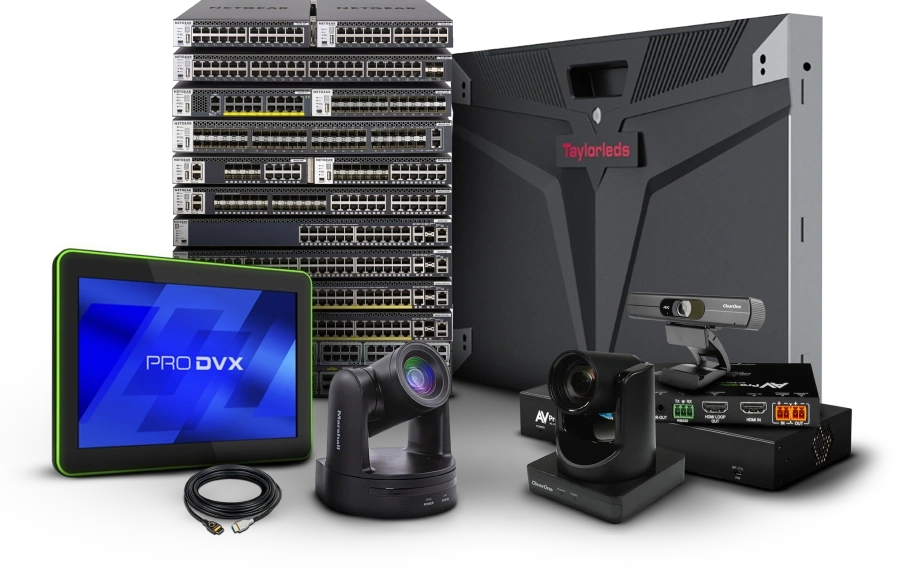
| NETGEAR AV M4250 switches | 20 units | One network carries IPTV, signage, control and Dante audio across the whole ground. |
| LG Electronics displays | 140 screens, from 32 inch monitors to 110 inch LCDs | One brand in every area, from grandstands to VIP boxes and ticket booths. |
| Vitec IPTV and media players | Multicast, 4K ready | Very low lag, with 4K to match the broadcast cameras. |
| Crestron control | About 70 touchscreens, 20 processors | Every suite has its own control. All of it reports back to one master. |
| Q-SYS with Dante | Venue wide network audio | Audio runs on the same network as the video and control. |
| Cat6a and fibre cabling | Cat6a throughout, fibre between grandstands | Gives the network headroom for future growth. |
How It Works on Game Day
- The broadcast feed goes on the network. Vitec sends it as multicast IPTV. Multicast keeps the load on the switches low, even with 140 screens watching.
- Every screen can show the game. Function rooms, concourses and suites all get the live play with very little lag.
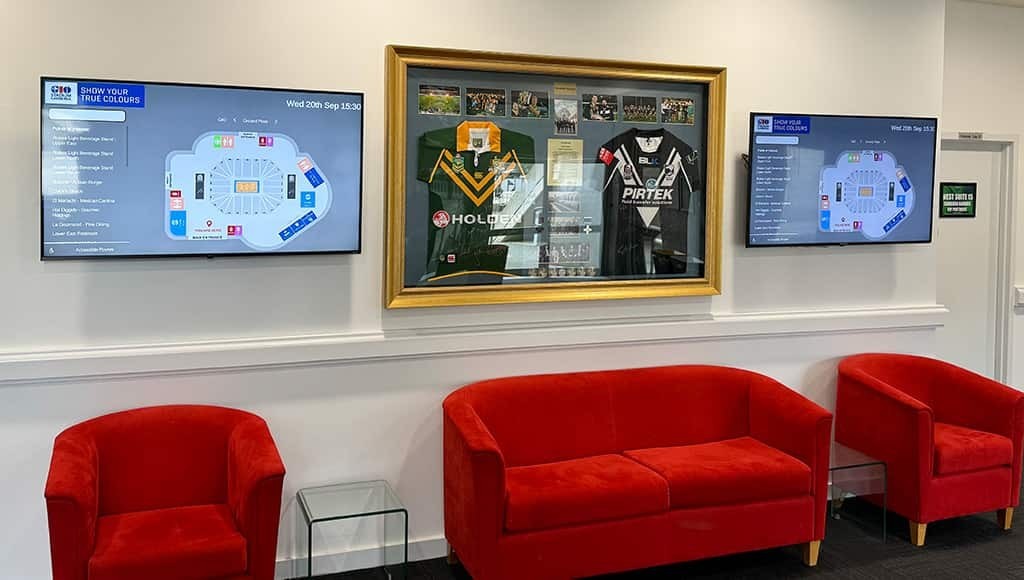
- Screens double as signage. Any screen can show wayfinding, event promos or a food and drink menu. An L-wrap layout puts ads around the live game, so the footage stays on screen.
- Staff control it from one place. Each suite runs its own Crestron program. Every processor reports back to a master, so staff can see channels, volume and display status across the stadium.
- Audio rides the same network. Q-SYS directs Dante audio to the lounges. Shure wireless mics are run over the LAN, so staff can check battery levels and status.
“The support on these NETGEAR AV switches is amazing. Would heartily recommend.”
Norman Korte, Director, Sound Advice
Key Outcomes and Results
- Lag is now negligible. The old IPTV delay is gone. People near a screen see the play as it happens.
- The system is 4K ready. It matches the 4K broadcast cameras and most of the new LG screens.
- 140 screens work as one system. The same setup works as a single room display or as one network across the whole ground.
- The screens can now earn money. Signage and L-wrap ads give the stadium new revenue from functions, events and partners.
- Staff see everything live. The master control screen gives real time feedback from every processor in the venue.
“What we were looking to do with the upgrade in our IPTV system was to make sure we could both bring what’s happening on field to all our function spaces, all our concourses, also to reach out to commercial opportunities.”
Matthew Elkins, Executive Branch Manager, Canberra Venues
Why NETGEAR AV for Stadiums and Large Venues
- One network can carry every AV system. At GIO Stadium, IPTV, signage, control and Dante audio all share the M4250 switches.
- The M4250 is built for AV over IP. It ships with AV profiles and NETGEAR IGMP Plus for multicast. That suits IPTV platforms like Vitec, which send one stream to many screens.
- It scales with the venue. Twenty switches cover a full stadium here. The same range works for a single function room.
- Integrators rate the support. Sound Advice called the support on the switches “amazing”. That matters on a site where game day cannot slip.
- NETGEAR has proven it in big venues before. Eden Park in Auckland runs its 80 channel stadium audio system on NETGEAR switches. StreamGeeks uses the M4250 for live ice hockey streaming.
Partner With AVD
AVD distributes NETGEAR AV switches across Australia and New Zealand, including the M4250 range used at GIO Stadium Canberra. Want more detail than this NETGEAR M4250 case study covers? Our team can walk you through the full range.
Working on a stadium, an arena, a convention centre or a campus? AVD offers local stock, tech support and help with network design for AV over IP.
Contact the AVD team to talk through NETGEAR AV switches for your next venue project.