Overview
ifm Group builds automation and sensor technology for industry. It serves 165,000 customers. It sells in 145 countries and has sites in about 50 of them.
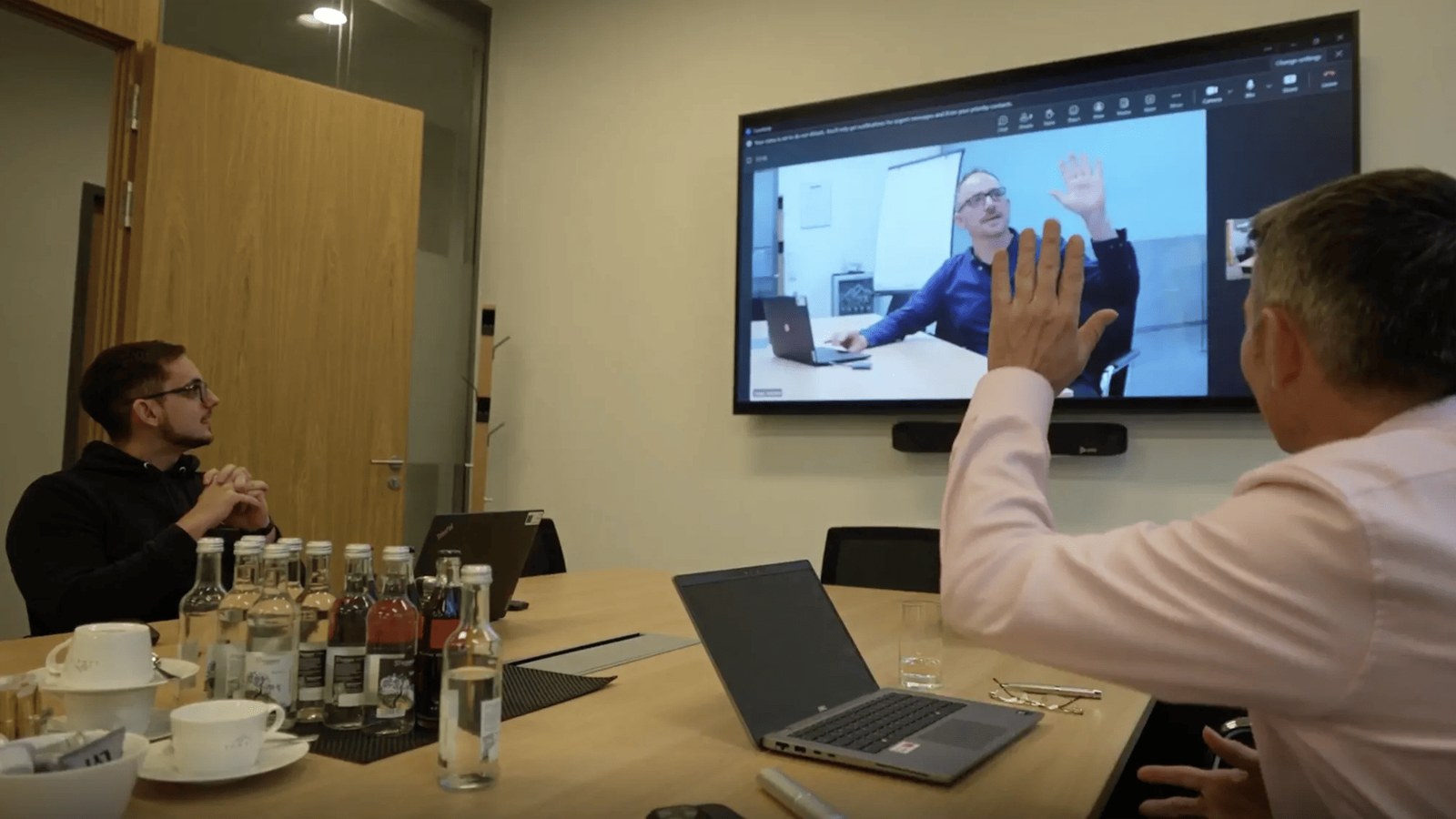
ifm teams meet across borders and time zones every day. Most meetings mix people in the room with people who dial in.
ifm has relied on Barco ClickShare since 2017. It is now making ClickShare the one standard in every meeting room it runs. It works with DataVision Deutschland GmbH. This global AV integrator plans, supplies, fits and services the rollout.
361 ClickShare devices are in use across the firm today. At the Essen head office alone, 50 meeting rooms already run on it.
This rollout took place in Europe and beyond. AVD distributes Barco ClickShare across Australia and New Zealand, so integrators here can build the same setup for their own clients.
The Challenge: One Meeting Standard for 50 Countries
The meetings never stop. Project meetings with customers. Design team sessions. Global sales reviews. Product demos.
ifm treats hybrid meeting tech as the base for fair access. Everyone should be seen and heard, wherever they sit. That goal raised a few problems at once.
- Every room had to work the same way. A global firm cannot train staff on a new system in each country. The room had to feel the same everywhere.
- Staff and guests use different platforms. Microsoft Teams, Zoom and Webex all show up in ifm meetings. The room had to run whichever one the host picked.
- People who dialled in missed things. They had to see the room and the slides well. Seeing only one of the two was not good enough.
- IT could not visit every site. With sites in about 50 countries, sending someone to a room is slow and costly. Faults had to be found from afar.
- Security had to clear an in-house audit. Every device on the ifm network faces a full review and a penetration test before it is approved.
- Budgets needed a steady cycle. Kit spread over dozens of countries must be planned and paid for years ahead.
The Solution: ClickShare Conference, ClickShare Bar and XMS Cloud
ifm chose Barco ClickShare as its one standard. It runs the whole fleet from one cloud platform.
The goal is one standard at every ifm site. That will reach 72 countries as the firm grows into regions such as China and Dubai.
Staff connect a laptop with the ClickShare Button. The Button links that laptop to the room camera, mic, speakers, soundbar and screen. There are no cables to hunt for and no setup to do.
“It really doesn’t get any easier for the user. Thanks to ClickShare, we can equip our conference rooms with extensive collaboration technology without participants feeling the complexity.”
Hendrik Lutens, IT Backend Services and Unified Communication, ifm
Products Deployed
| Component | Specification | Why It Mattered Here |
|---|---|---|
| ClickShare Conference CX-50 2nd generation | Dual screen output, HDMI and USB-C at 3840 x 2160 at 60Hz, 2 ClickShare Buttons, 2 sources on screen at once, up to 30m Button range, ANSSI CSPN security certified | The model ifm uses most. One screen shows the people. The other shows the slides. |
| Automatic UC to BYOD switching | Only on the CX-50 2nd generation | The room shifts between a booked call and a bring your own meeting. Nobody has to change a setting. |
| ClickShare Conference CX-30 | Wireless system for small and mid sized meeting rooms | Covers the smaller rooms, so every room size feels the same to use. |
| ClickShare Bar | All in one bar that puts ClickShare sharing, room audio and video in a single device | 45 units in use at ifm. One device, one screen. That cuts fit-out cost and points of failure. |
| XMS Cloud Management Platform | Set up, watch and update devices from afar. Fault alerts. Room usage data | The whole fleet runs from one dashboard. IT fixes faults without a site visit. |
| Barco SmartCare | Five year warranty when devices are registered, plus five years of XMS Cloud data | Gives ifm a five year cycle and budgets it can plan. |
How It Works Day to Day
- Walk in and connect. Staff plug in the ClickShare Button or open the app. There is no training and no setup.
- Start on any platform. Teams, Zoom, Webex or another platform, picked by whoever called the meeting.
- The room follows. Camera, mic, speakers and screen all link up on their own.
- See people and slides at once. In CX-50 rooms, one screen shows the faces. The other shows the work.
- IT watches from XMS Cloud. An alert flags a device that has stopped working, often before a user calls it in.
One Dashboard for the Whole Fleet
ifm runs every ClickShare device through XMS Cloud. Staff can set up, watch and update each unit from afar. When something breaks, IT gets an alert. They can open the device and fix it.
XMS Cloud also reports how much each room gets used. That gives ifm hard numbers on how well its rooms earn their space.
“Every single conference room is always put to the test. With XMS, we can prove at any time how intensively our meeting rooms are being used.”
Hendrik Lutens, ifm
Passing an In-House Security Audit
Security matters a lot at ifm. Every ClickShare unit went through a full review and a penetration test. Regular firmware updates keep it that way.
“ClickShare has been audited internally and is officially on our whitelist of approved network devices. That means it can be used as a standard system worldwide.”
Joachim Hopp, Audio and Video Conferencing, Lake Constance region, ifm
Key Outcomes and Results
- 361 ClickShare devices now run worldwide. One system covers meeting rooms across the whole firm.
- 50 meeting rooms are live at the Essen head office. That rollout is done.
- 45 ClickShare Bars are in use. The all in one option cut both fit-out cost and admin work.
- More than 350 devices are managed centrally. Faults get fixed from afar, not by a site visit.
- Travel and hotel costs fell. Better rooms replaced trips staff used to make.
- ClickShare cleared ifm’s approved device list. It is signed off as a standard network device firm wide.
- A five year cycle made budgets simple. IT teams can plan and fund swaps well ahead of time.
- The standard is set to reach 72 countries. New sites such as China and Dubai get the same setup as they open.
“With ClickShare, remote participants almost feel as if they are on site and no information is lost.”
Joachim Hopp, ifm
Hendrik Lutens sums up the money case simply. “Our investment in equipping and improving global meeting rooms is offset by savings in hotel and travel costs.”
Why Barco ClickShare for Global Rollouts
Kitting out meeting rooms in many countries is a different job to one boardroom. The hard part is not the first room. It is making room 300 work just like room one. And fixing it from another continent.
- The same room, every time. Staff and guests get the same one click start in every country.
- Works with any platform. Teams, Zoom and Webex all run, so the room never dictates the meeting.
- Real BYOD support. People join from their own laptop, phone or tablet with nothing to install.
- Manage the whole fleet from afar. XMS Cloud sets up, watches and updates hundreds of devices.
- Built to pass a security review. Network log-in options and formal security certification help it clear an in-house audit.
- A model for every room size. CX-50 for big rooms, CX-30 for small and mid sized rooms, ClickShare Bar where an all in one fit works better.
- Costs you can plan. Registered devices carry a five year warranty and five years of usage data.
Partner With AVD
AVD is an authorised Barco ClickShare distributor in Australia and New Zealand. Quoting a meeting room, boardroom or multi site job? We can match the right ClickShare model to each room size and to the client’s video platform.
The ClickShare Conference range suits firms fitting out rooms they already have. ClickShare Hub is the newer room system built on the Microsoft Device Ecosystem Platform. It suits teams building new Microsoft Teams Rooms. We back integrators through spec, supply and after sales.
Get in touch with the AVD team to talk through your next Barco ClickShare job.